
Overview #
In this post, I walk through deploying a Minecraft server using AWS services and creating a Discord bot to manage the server, including commands for user management and notifications.
What Stack I Use #
- Infrastructure as Code: AWS CDK (TypeScript) this is the best practice for managing AWS resources(Totaly recommend it😎)
- Compute: EC2 Spot Instances (t3.large spot for the server 8GB Ram since its modded)
- Storage:
- S3 for automated world backups
- EFS for persistent storage of the Minecraft server data
- Networking:
- VPC with public and private subnets
- Security Groups for access control
- Cloudflare for rerouting traffic to my domain
- Serverless Glue: AWS Lambda for the Discord bot backend
- CI/CD: GitHub Actions to synthesize and deploy CDK stacks, package and deploy the bot
Discord Bot Feature #
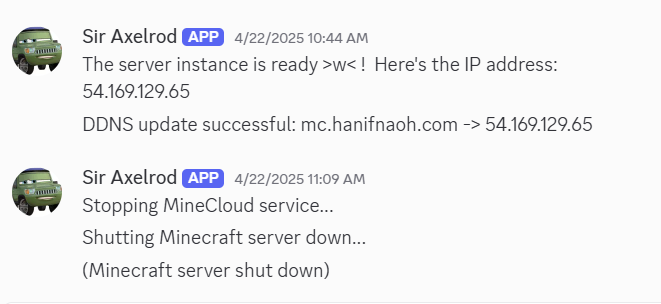
/mc_start– Spins up the Spot instance and registers it behind the load balancer/mc_stop– Drains connections, gracefully shuts down the server, and scales the fleet back to zero/mc_restart– Executes a stop, waits for cool-down, then starts fresh/mc_backup– Triggers an immediate S3 snapshot of the world directory/mc_backup_download– Posts a pre-signed S3 link so admins can grab the latest backup- Automatic idle-shutdown notifications in a designated “ops” channel when no players have joined for 15 minutes
yes i use the light mode